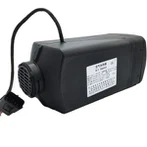


Timer Controller Operating Instructions Of Water Parking Heater

Rated voltage | 12V / 24V |
Operating voltage range | 9-32V |
Size | W: 82mm, H: 37mm, D: 12mm |
Operating environment temperature | -40℃ to +65℃ |
Installation location | Inside the vehicle |
Timing | 3 start times can be preset within 7 days |

Power on/off
Power on: Press any key to wake up the screen, short press the On key to enter the running time adjustment interface, adjust the running time according to different needs, press the Left key to reduce the running time, press the Right key to increase the running time, the running time can be set in the range 10-120min.When it is adjusted to 120min, press the Right key again to set it to run for unlimited ∞ time.Please use this function with caution, it will consume a large amount of battery power and it will be difficult for the vehicle to start. When the heater is turned on, after 60 seconds,the screen enters sleep mode, and a breathing light flashes in the center of the screen, indicating that the heater is on.
Press and hold the power On key for 5 seconds, the heater will directly enter the power-on interface according to the last running time. Shutdown: Press any button to wake up the screen, press and hold the Off key for 3 seconds, the heater will turn off, and the screen will return to the main menu interface. After 60 seconds, the screen enters sleep mode.
Remote control matching
In the OFF state,press the left key and the Return key for 3 seconds to enter the remote control matching interface. At this moment, press the ON or OFF key of the remote control once. After the match is successful, the interface will display OK. If the match is unsuccessful, it will display NOK. This word means that the remotes need to be re-matched, a timer can match two remotes at the same time.
Turn on/off the remote control
The remote control is a one-way remote control without return function, and the remote control distance is about 30 meters (in open areas).
(1)Turn on the remote control: Short press the ON key of the remote control ,the timer screen is woken up. At this time, the screen displays the power-on interface. After 60 seconds, it will enter the sleep state, and the breathing light will flash in the center of the screen.
(2)Turn off the remote control: Short press the OFF key of the remote control, the timer screen is woken up.At this time, the screen returns to the main menu interface . After 60 seconds,it will enter the sleep state.
Time setting
Press any keys to wake up the screen, select the setting with the Left and Right key, press the Confirm key to enter the time setting (24 hours to), press the Confirm key and the clock flashes, press the Left and Right key to adjust the clock, press the Confirm key, the minute flashes, press the Left and Right key to adjust the minutes , And then press the Confirm key to return to the clock screen.
Press the Left and Right key to select the week setting, press the Confirm key to enter the week setting interface, and press the Left and Right key to select the week(MON.TUE.WEN.THR.FRI.SAT.SUN.).
Function query
In the On state, press any key to wake up the screen, press the Left and Right key at the same time for 3 seconds to enter the function query interface, from top to bottom. Data arrangement: fan speed, voltage,oil pump frequency, water temperature, press the Return key to return to the main menu interface.